1.02
Part 01 · Getting going · The fastest useful path
Your first fifteen minutes
Answer a few questions, photograph your kitchen, and let iWhisk suggest dinner.
1.02.1
1. Answer the setup questions
iWhisk asks a handful of quick questions before you start. They tune your starting point, not your permissions, and you can change every one of them later.
1.02.2
2. Capture your kitchen
Open Capture, stay on Kitchen inventory, and photograph as much as you'd like. A full fridge, freezer, or pantry works great. Prefer to start smaller? One shelf is enough too.
iWhisk reads the photo and shows you what it found. Items it is confident about are already ticked. Items it is unsure about are not, so tap to include them or leave them out. Fix anything wrong while you are still standing there.
1.02.3
3. Look at Today
There is a suggestion waiting, built from what you just added, with the reasons shown underneath: what it uses up, how ready your kitchen already is for it, and what it advances.
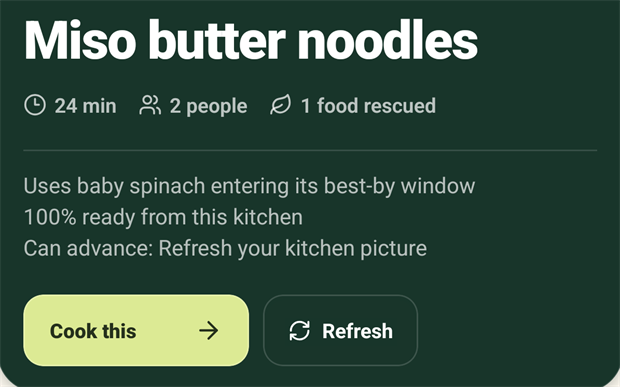
Not feeling it? The refresh control beside Cook this gives you the next one.
1.02.4
4. Cook it, and tell iWhisk
This is the step people skip, and it is the one that makes everything after it better. When you finish, open the recipe and tap Record this cook.
Try this in iWhisk
Capture one shelf
About a minute, and Today will have something waiting when you get back.