2.01
Part 02 · Food, dates and storage · Getting food in
Capture your first shelf
Photograph everything at once, a full fridge, freezer or pantry, and correct anything wrong before you save. One shelf at a time works too, if you would rather start small.
Where this is in iWhisk
Capture, then Kitchen inventory
iWhisk builds everything else, the dinner suggestion, the grocery list, the use-first reminders, from what it knows is in your kitchen. One shelf is enough to start.
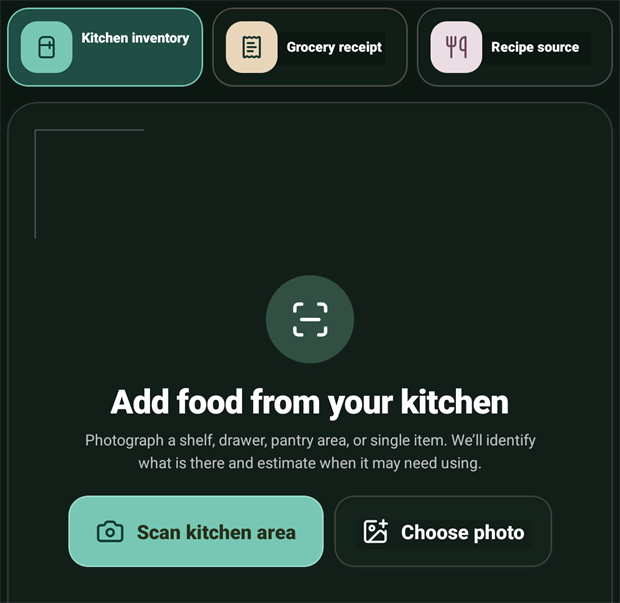
- 1Open CaptureThe raised button in the middle of the bar on a phone, or Add to iWhisk in the sidebar on a wider screen. Stay on Kitchen inventory.
- 2Photograph as much as you'd likeA full fridge, freezer, or pantry in one photo is the fastest way in: iWhisk reads all of it, and you only fix what needs fixing. Rather ease in? One shelf, one drawer, or one section works just as well.
- 3Get the light right, then shootStand so a window is to your side, not behind you. Shoot straight on so you can see the front of each package. No flash.
- 4Review what it foundItems iWhisk is confident about are already ticked. Anything it is unsure about is not. Fix names and amounts now, while the food is in front of you.
- 5Check the use-by datesEach date says where it came from. Change any of them. The format is YYYY-MM-DD.
- 6Say where it lives, and saveFridge, freezer, cabinet or spice, or name your own. iWhisk offers to scan another location straight away.
💡
Take the drawer outNobody photographs well inside a fridge. Lift the drawer or tray onto the counter, photograph it there, put it back. Ten seconds, dramatically better result.
💡
If a scan doesn't finishOn rare occasions a scan can time out before it finishes processing, whatever size the photo. Wait a moment and try again. If it keeps happening, let us know at support@iwhisk.io so we can look into it.